PC management
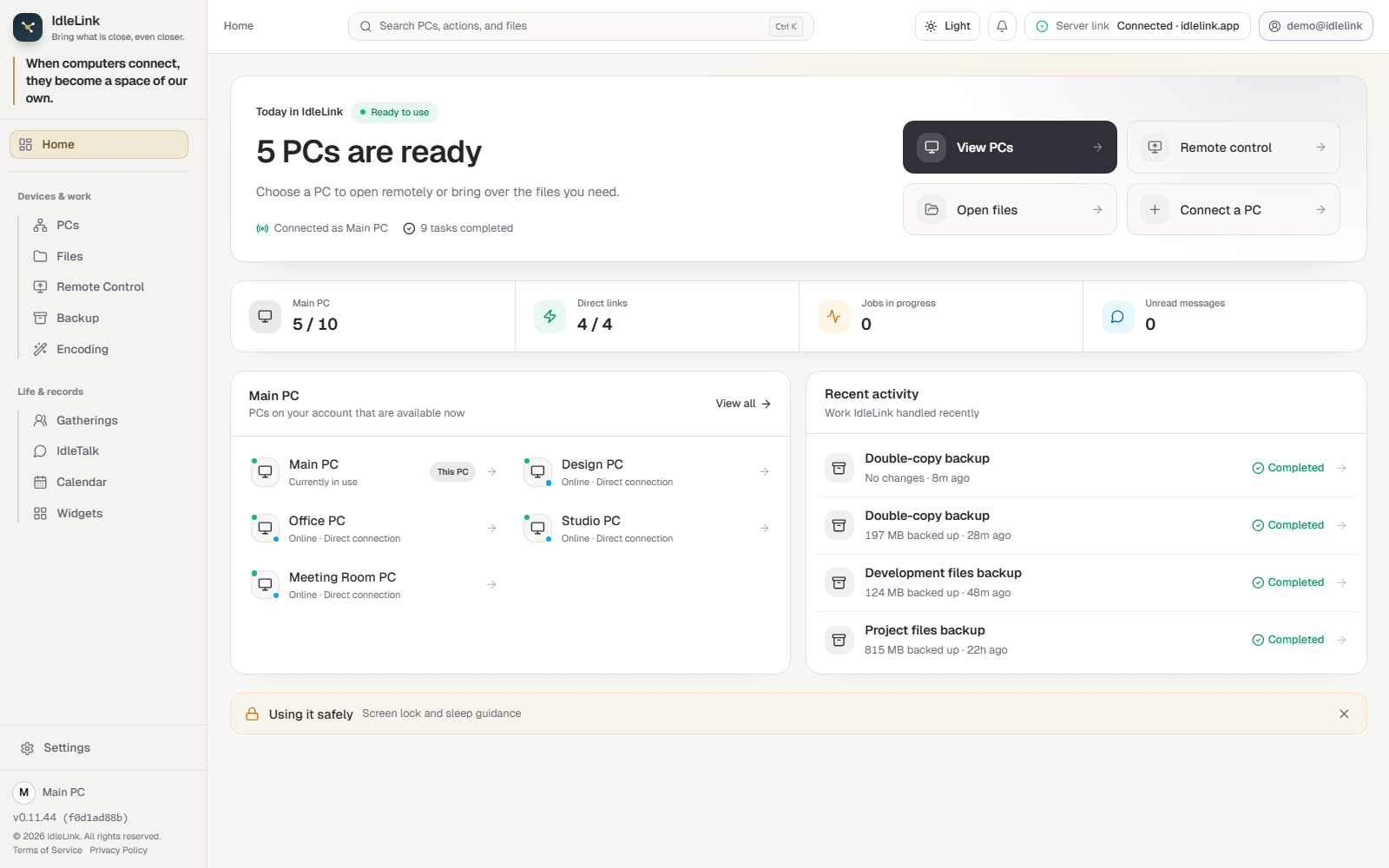
See the status and direct-link availability of computers at home, work, and the studio, then open the one you need.
Online status · Direct link · Quick launchBring what matters closer.
Connect the computers across your home, office, and studio. Screens, files, work, and conversations come together while their content stays on your computers.
WHO IS IT FOR?
A MOMENT WITH IDLELINK
See how IdleLink brings computers and people closer across different places, told through the current product in a story of about one minute.
Signed by a verified publisherAzure Artifact Signing · H&G Partners Co., Ltd.
Your content stays on your PCsYou remain the owner of files, chat, and backups
Only people you inviteClear permissions and activity records
WHAT YOU CAN DO
USE WHAT YOU ALREADY OWN
You already have the storage.Without buying a NAS or handing your files to cloud storage.
Connect the spare capacity across PCs at home or work, reach the files you need, and back them up to another PC.See the status and direct-link availability of computers at home, work, and the studio, then open the one you need.
Online status · Direct link · Quick launchOpen a screen in another place and work with its keyboard and mouse as though it were in front of you.
Screen access · Input control · Remote helpOpen connected PCs and shared folders in one place, then bring the file you need to where you are.
Browse · Share · Transfer · PreviewKeep important folders on another one of your PCs and follow completion and recent runs in one place.
PC-to-PC copies · Schedules · HistoryHand long-running media jobs to an available PC, then follow progress and collect the result.
Delegate · Distribute · CollectInvite people to share PCs, files, conversations, and schedules while keeping important activity recorded.
Invites · Permissions · Chat · Calendar · AuditCURRENT APP, LARGE AND CLEAR
Every screen below is captured from the current Windows app with personal details replaced by demo data. Choose a feature to inspect the full interface.
Check computers across home, work, and the studio, then move straight to the screen or file you need.
5 PCs · 4 direct links · Recent work
On mobile, swipe sideways to inspect the full interface.A PLACE, NOT A FEED
This is not a plaza built to gather as many people as possible. It is a small place for the people who work, live, and care together. Only invited people and computers enter; files, conversations, decisions, and records remain in that space.

BUILT WITH BOUNDARIES
A strong connection should still show who entered and what they used. IdleLink keeps approval, permissions, and important activity records in the same place.
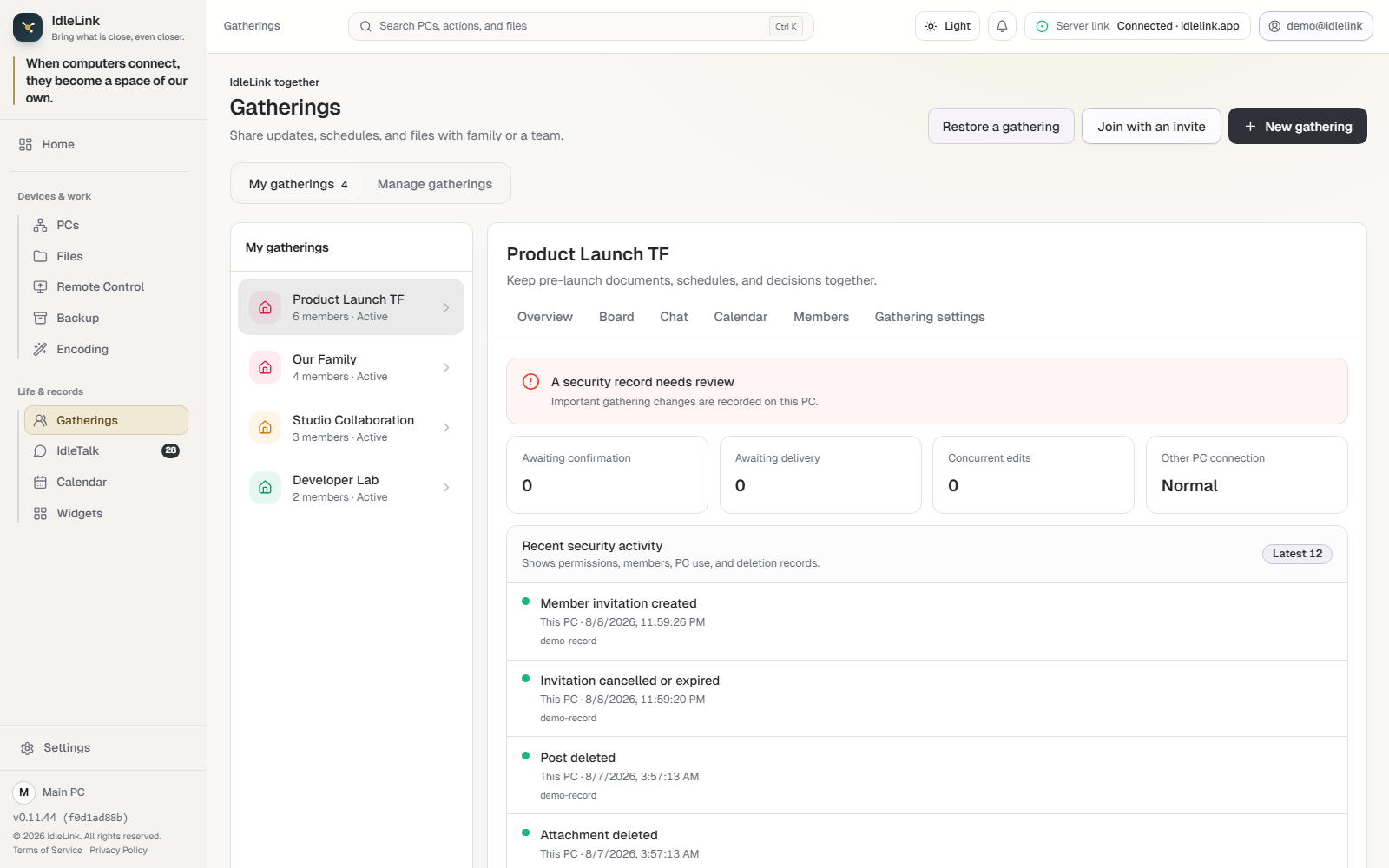
Circle security recordReview state · Connection health · 12 recent events
Bring what matters closer.